

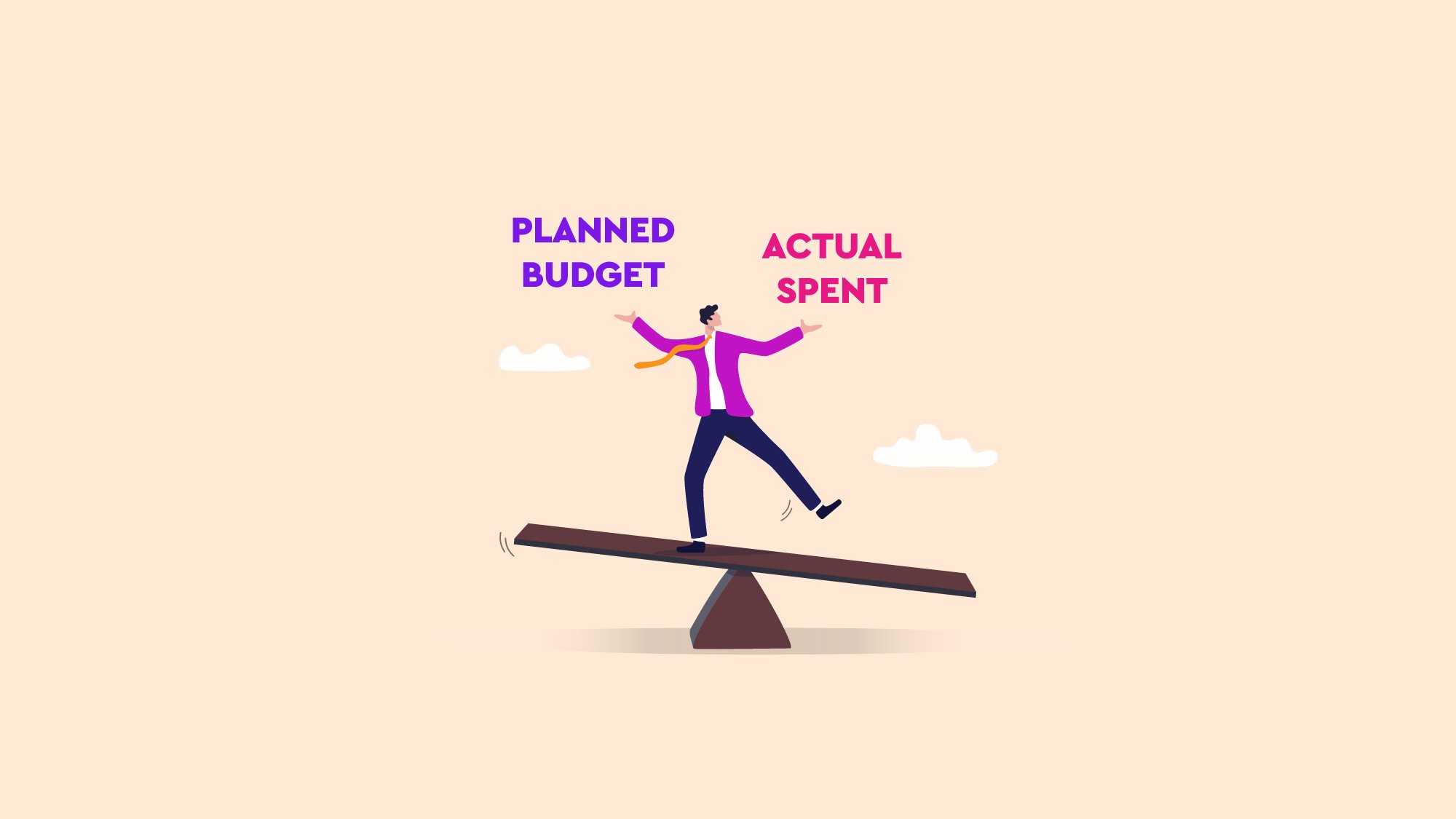

As most enterprise teams already run their projects in Jira, it makes sense to bring project financial data right by them, rather than have them living in third-party tools, disconnected, creating project workflow silos, uncertainty, and slowing decision-making. By reading this blog post, you’ll have a closer look at calculating budget variance in Jira by comparing the project’s planned budget (budget forecasting) with your actual spending.
Project budgets usually live elsewhere, such as spreadsheets, Word documents, slide decks, and other third-party tools, disconnected from project operations and, overall, the Project Management Office (PMO) operations in Jira. These project finances are usually controlled by a couple of people with niche knowledge, those who run the numbers. Usually, during the project development, questions such as “How far are we from the planned budget?” arise, and it takes days to pull that data together and the answer. By that time, the data it's already out of date or not relevant anymore to the project because it has shifted already.
In these situations is where the budget variance becomes a useful calculation, given it’s not just another metric, it’s the link between the plan defined by Finance and the PMO, and the reality driven by delivery teams.
This calculation allows you to know whether your actual spending is aligned with your original assumptions, to reallocate funds early, protect strategic initiatives, and avoid learning about overspending when the fiscal year is closed. To make this work, budgets and variance have to live where work lives: Jira.
A budget variance is a calculation between the planned budget vs what’s actually spent that allows project managers, finance teams, and the PMO to share the same updated view of their project finances, controlling this information based on the same tool, not on a painful month-end exercise.
Budget variance is the bridge between those two worlds, telling you whether that spending is healthy, risky, or off the rails, letting the PMO decide which projects can be accelerated, which should be slowed down, and where funds should be reallocated.
Once that context is clear, the mechanics are simple. To calculate budget variance properly, you need two elements that talk to each other:
In short, the budget variance is the difference between what you planned to spend and what you’ve actually spent. As simple as a relationship between those two in this formula:
Budget variance = Planned budget − Actual spent
🟢A positive result means you’re under budget.
🔴A negative result means you’ve overspent.
Without establishing this comparison, decisions are just a piece of guesswork, and by taking the variance into the conversation, the PMO will start making decisions with more confidence and effectively.
Jira is excellent at tracking Work Items and Spaces, and based on that, it returns burndown charts, cumulative flow diagrams, and all sorts of progress indicators, but it doesn’t share a financial layer out of the box.
Natively in Jira, it isn’t possible to easily define a project budget with a structured forecast, and even less does it allow categorization of costs as CAPEX/OPEX, direct/indirect, or any other enterprise standard, with the opportunity to tie them to project work.
All of this makes it difficult to see at a glance, planned budget vs actual spent, and calculate the variance per category, as a consequence, for example.
This is another reason why teams usually work on project finances in other tools and manually reconstruct the story there; that's also why silos happen.
When budget variance is measured directly inside Jira, it stops being a static number in a report and becomes part of the daily conversation about the project development.
That shared, real-time view makes it much easier to spot trends early: a category that’s burning too fast, an initiative that’s consistently underused, or a portfolio area where investment is drifting away from strategy.
It helps decide what to accelerate, what to pause, and where to reallocate funds, without waiting for month-end closes or manual reconciliations.
The benefit result is simple: budgets stop being a separate universe and become just another dimension of your Jira data.
Once you have identified that you need to bring your budgets to Jira, the next step is to give Jira a proper budgeting layer. This is where Budgety for Jira comes in by giving projects a financial structure, allowing you and your team to define a target budget, break it down into forecast lines that match your cost categories, and keep everything in the same place where work items, epics, and spaces are already being managed. Forget about exporting data from Jira into spreadsheets to do that.
Once Budgety for Jira is acquired from the Atlassian Marketplace, comparing actual spending with the forecast becomes a day-to-day routine, letting you register project expenses and assign all of that to the right forecast lines.
This way, on each budget, it’s simple to see what was planned, what has actually been spent, and the difference between the two. That “difference” is your budget variance, updated in real time, so project managers (PMs), Finance, and the PMO can act on it while there’s still time to adjust scope, timing, or resources.
Plan your budget and forecast it inside Jira: Get into Budgety, create a budget, and link it to a Jira project (Space), epic, or even a specific set of work items. Then set a target budget for that project scope. That’s the forecast!
As the project advances, that budget will be broken down into different costs associated to it. Budgety allows categorization of those costs as CAPEX/OPEX, Direct/Indirect, or any other enterprise standard, such as logistics, travel, certification, external services, and so on.
Additionally, it’s possible to register actual costs in two main ways:
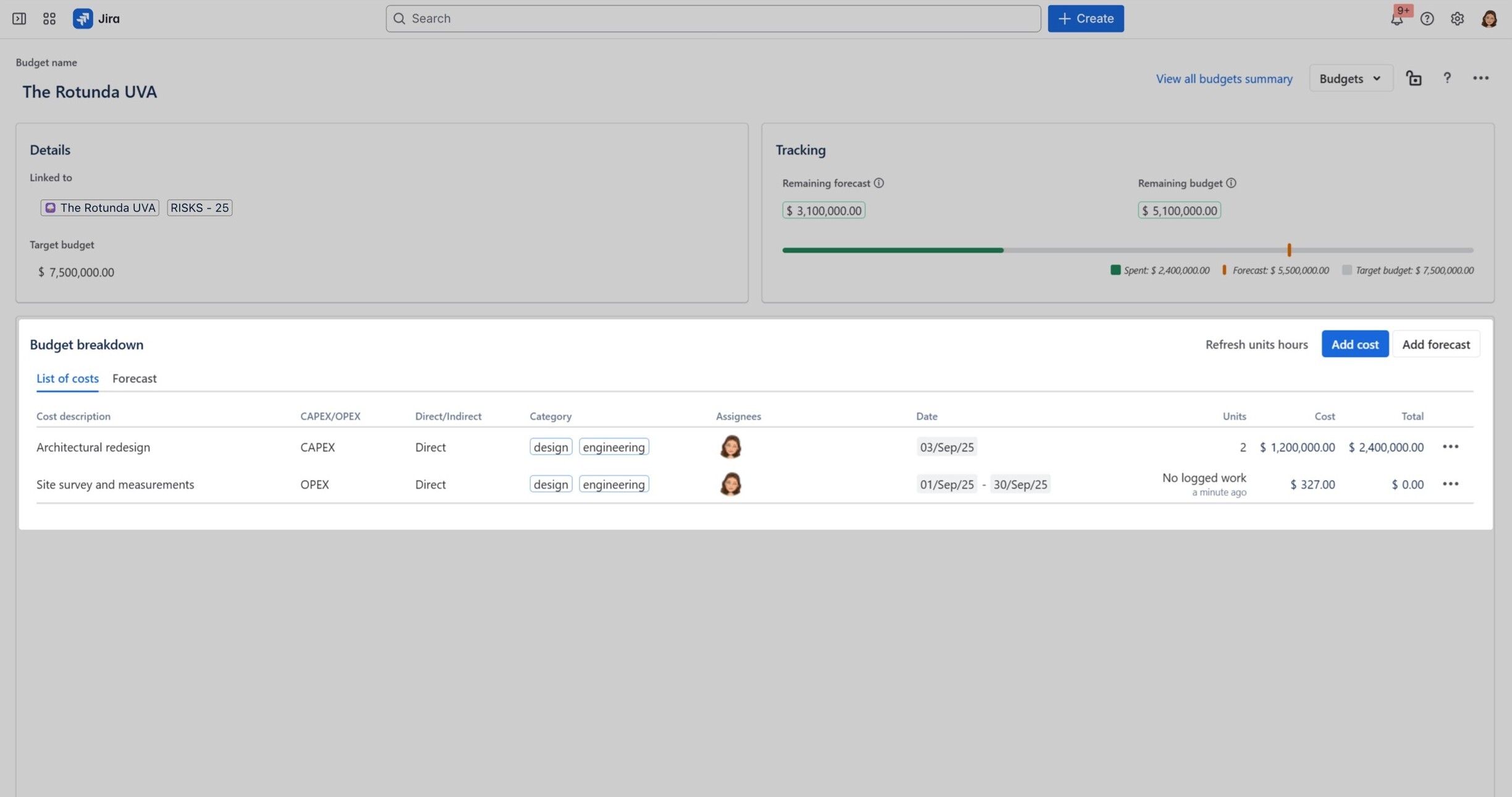
When logging project costs in Budgety for Jira, it's possible to categorize them by different standards.
Those costs will appear right below the forecasted budget, and the difference right there it’s the variance we’re looking for, allowing us to see budget variance in real time, bringing those plans into reality, allowing project health to get better over time.
This is where the “planned vs actual” comparison becomes visible, allowing you to tell instantly whether you’re on track or at risk of overspending.
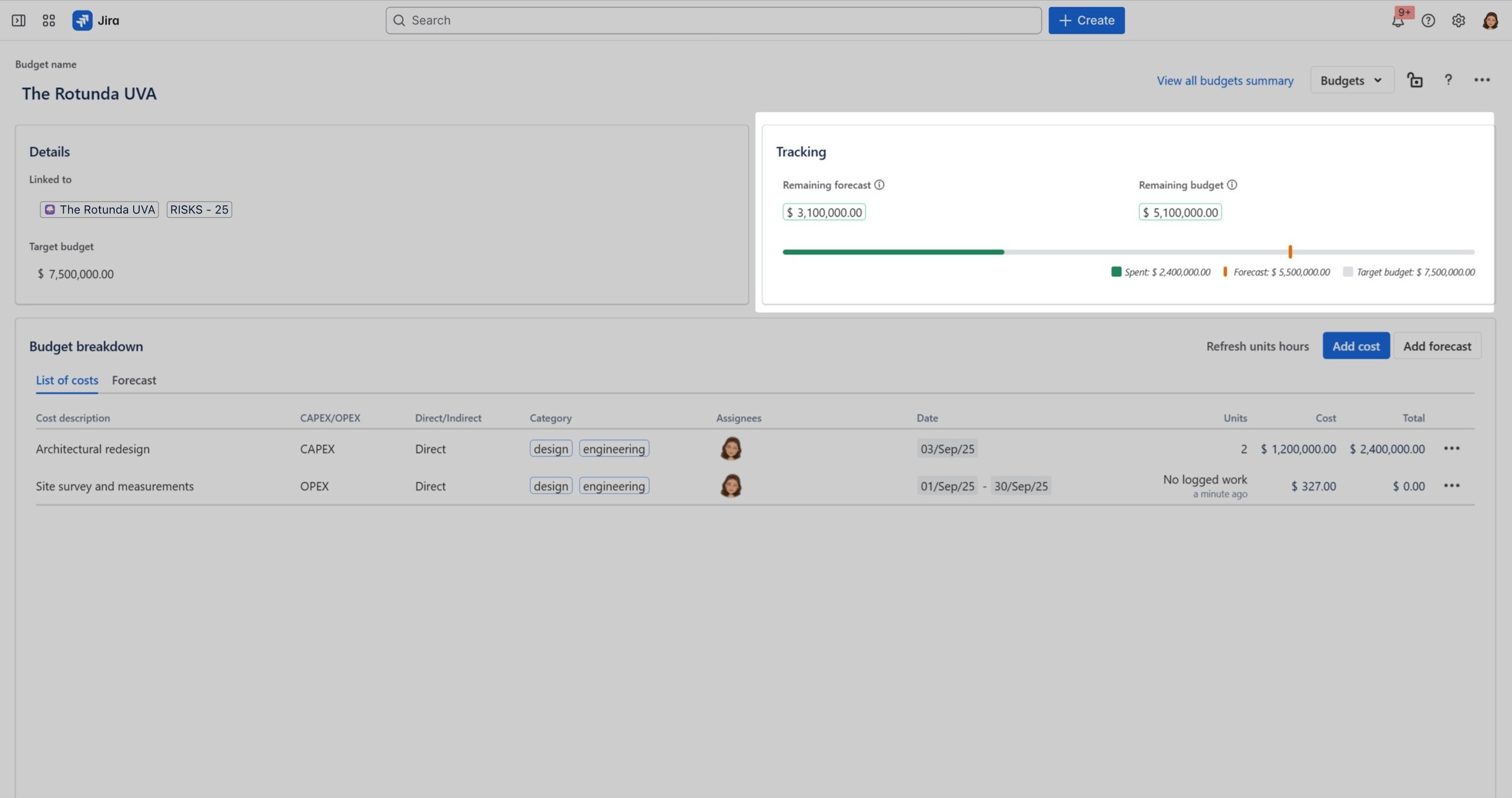
Budgety for Jira allows calculating variance simply by spotting the difference between the forecasted vs planned budget
If you use Rovo, Atlassian’s artificial intelligence layer, you can query that variance in plain language: Just ask which projects are closest to exceeding their budgets or which cost categories are most off from plan, and get an answer built on your Budgety data.
Budget variance is where your plans meet reality, showing whether your investments are moving in the right direction or quietly drifting off course. As long as that data lives in disconnected systems and teams, you’ll always react later than you should. When it’s part of your Jira context, variance turns into something teams can look at every day, side by side with the work that is actually consuming the budget.
If you’re ready to stop guessing and start steering your projects with updated budgets and synced to your projects, it’s time to give your Jira instance a financial layer that matches the way you already work.
Try Budgety for Jira from the Atlassian Marketplace, see your planned vs actual spend in context, and experience what it’s like to manage budgets where your projects actually live.








No Comments Yet
Let us know what you think