



When you are in the middle of any enterprise transformation, such as a Jira migration, project reporting often gets pushed to the bottom of the to-do list, and ironically, this is when you need reporting the most. That’s why, in this blog post, we'll go through why those reports matter, how to make this process almost automatic, and how to communicate with the right people, on time.
Project reporting is key within enterprise grade transformation processes. They show what happened in the last days, highlighting risks, and showing how the team’s performance is in Atlassian Cloud (in the case of migrations).
Enterprise transformation processes are more than just a migration project. It's a coordinated shift across strategy, goals, methods, workflows, organizational structure, software tooling, and whatever else the company needs to adapt to keep moving forward in better shape. When done well, these transformations will change how decisions are made and how value is delivered.
Transformations, in general, are worth the pain when they're thoughtfully designed, bringing benefits such as:
In short, enterprise transformations link directly to business performance. These studies show that higher digital maturity organizations are about three times more likely to beat their industry on revenue growth and profit margins. But there’s a catch, only about a quarter of transformations fully succeed, so the benefits are real, but only if the change is managed as a disciplined, enterprise wide program.
It depends, but in most serious cases, yes, a Jira migration is an enterprise transformation. As it might look like an IT software tooling move from Data Center to Cloud, it also implies redefining how work is structured, tracked, governed, and reported across the organization.
Usually, migrating to Atlassian Cloud makes you rethink entire workflows, standardize custom fields, rationalize projects, revisit permissions, and often redesign the way PMO, finance, and delivery teams share information, touching every team that lives in Jira and other Atlassian apps.
As all sites consume Jira data, this is critical to maintain these types of enterprise transformation processes. That’s why supporting with the right tools to make this move, having a clear change management target, and a proper project reporting makes the difference between “we moved our issues” and “we used this migration to finally run projects in a consistent, data driven way.”
A Jira migration consists of moving, translating, and adapting Work Items, Spaces configurations, and users from one Jira instance to another.
As this can also happen from Cloud to Cloud (merging different instances or reorganizing them), recently, it was announced Atlassian's Data Center End Of Life (EOL), making the latter more relevant. So, in short, yes. A Jira migration is already an operating model change.
As Atlassian’s future is cloud first most tooling innovations in scale, security, and AI are happening there. They highlight faster time to value, reduced total cost of ownership, and AI enabled teamwork as key benefits for Cloud customers.
From the Project Manager Office (PMO) perspective, Jira Cloud isn't “just another hosting option”. It's the platform where projects, budgets, and capacity data can live in one coherent system, ready to be shared with BI tools, financial systems, and executives.
So the “if” of moving to the cloud is mostly gone. We're now in the “how fast and how safely” phase, and that's exactly where disciplined, automated monthly reporting becomes your best ally. How to get it then?
A smoother Cloud migration isn't just about software tooling. It's about turning a risky, one off project into a controlled, measurable transformation, and counting on the right support to succeed at it.
From a high level point of view, the journey looks like this:
When you’re going through a Jira migration, you need some baseline and reliance for projects that are still ongoing.
As data might not be in the right place yet, monthly reports for projects help to answer questions such as “Where were we a month ago?” or “Did anything fall through the cracks when we moved?” Sharing a repeatable baseline that allows for comparing project data over time. More specifically, you can check the data:
Exporter for Jira is built to get Jira work items and their metadata out of Jira and into tools that are better for analysis, audits, and long term storage, and even for the same sake of exporting data and importing it back from one Jira to another.
For this case, it fits perfectly in both scenarios:
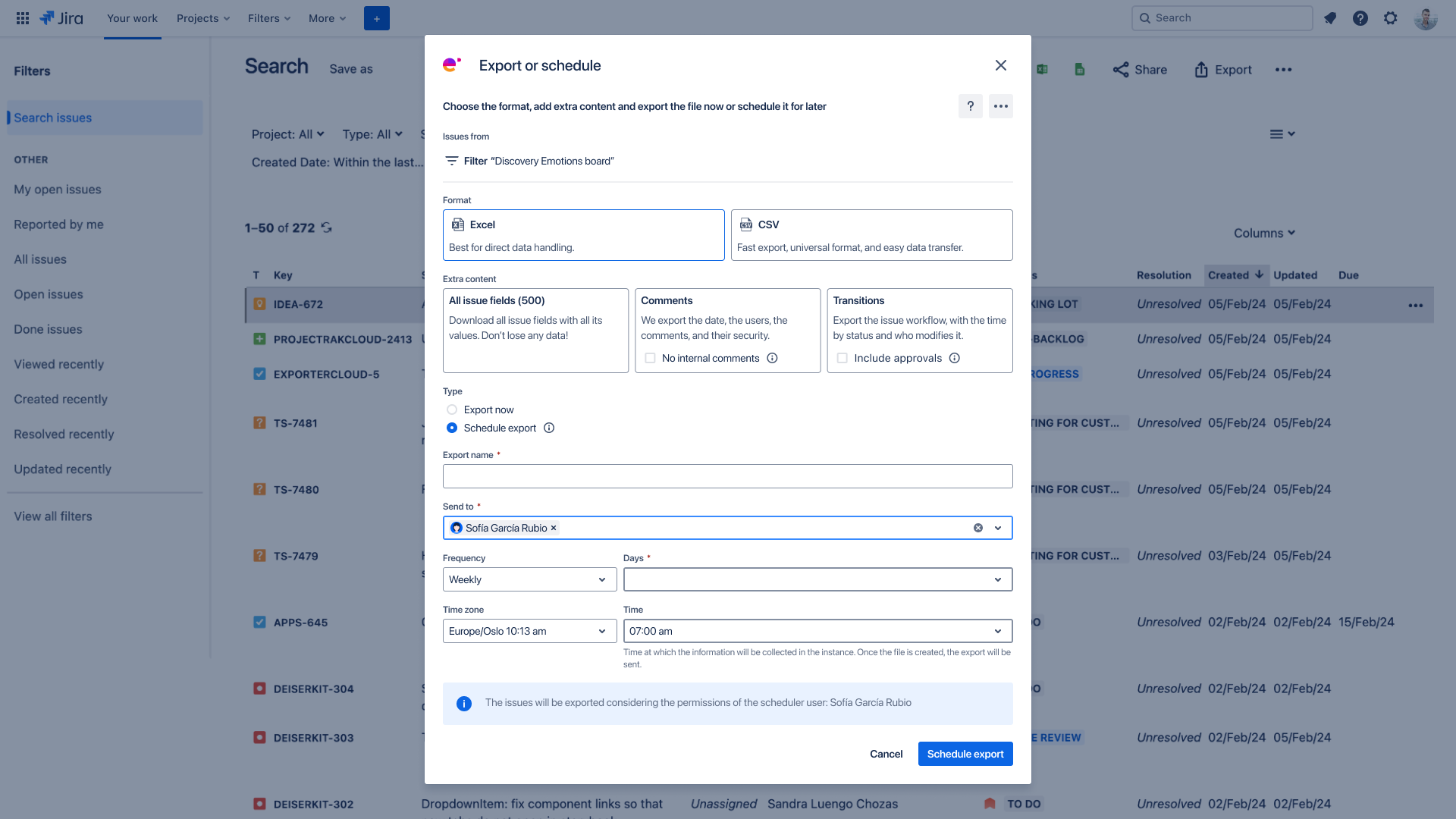
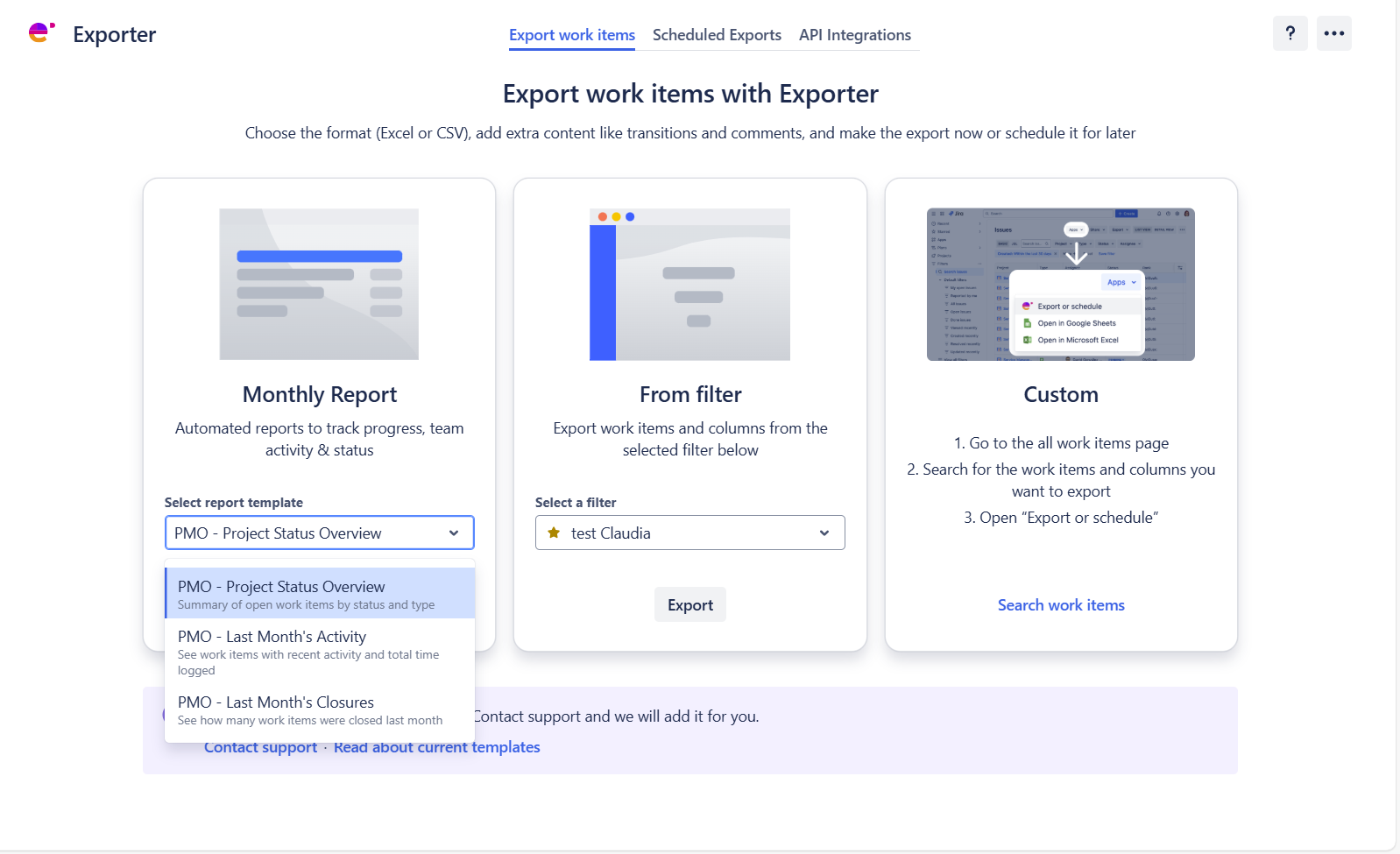
Exporter's Monthly Reports allows choosing from three different reporting templates for projects
Exporter’s Monthly Reports feature is built exactly for this use case. It offers three predefined templates that run on a schedule and arrive in your inbox as Excel or CSV files:
From a project management and enterprise transformation perspective, this means you get monthly reporting across different scenarios, the ability to prove that project delivery did not drop after moving to the Cloud, and a simple way to track adoption by project, business unit, or region without building complex dashboards.
On top of that, auditors and executives receive clean, tabular reports they can analyze directly or plug into BI tools, without anyone having to assemble them by hand.
Enterprise transformation is ultimately a story about trust: can leadership trust the numbers they see every month, can teams trust the tools they use after a big change like a move to the Cloud, and can auditors and regulators trust that your data trail is complete and accurate?
Jira migrations and the Atlassian Data Center EOL have turned that trust into a deadline. You need to move, and you need to be able to show what changed, when, and with what impact.
Exporter for Jira, especially when combined with the PMO Collection for Jira, gives you a concrete way to anchor that trust. You get structured, repeatable exports that scale beyond 1,000 issues, monthly reports that highlight status, activity, and scheduled export histories that double as an audit log.
All of this, wrapped in a clear path from Data Center to Cloud with familiar workflows and a Cloud-ready feature set.
If you treat reporting as an important part of your transformation, you will come out of your Cloud migration with more than a new hosting model. You will come out with a PMO that operates on real, timely data.








No Comments Yet
Let us know what you think