



Managing team capacity in Jira can be challenging, especially when you don't have a place to plan it, or when your only metric is hours logged to estimate your capacity plans, which is probably making you and your team spend more time inside Jira catching up on the work and logging it than actually working.
That’s a problem Capacity was built to solve.
Capaciy is a simple capacity management solution for Jira, built on Forge and designed specifically for the PMO, team leads, and delivery owners who need to plan and establish real visibility and control over their team’s workload.
No extra tools. No spreadsheets. No guesswork.
Capaciy for Jira brings clarity, control, and confidence to capacity planning with a smart, visual interface that makes workload management simple and intuitive.
Jira is great for tracking tasks and managing them (for projects, Projectrak), but not for controlling how much each person can handle about a specific project or overall. Aside from logging hours, there’s no easy way to see who’s overloaded or who has time to spare, and that's a fail when planning capacity in Jira.
Imagine a typical scenario: You’ve got a sprint coming up. You allocate a stack of work items to different teammates, but you’re unsure if Elena is already at her limit or if Rita has room to help. You’re planning and managing capacity without a clear understanding.
Capacity changes that...
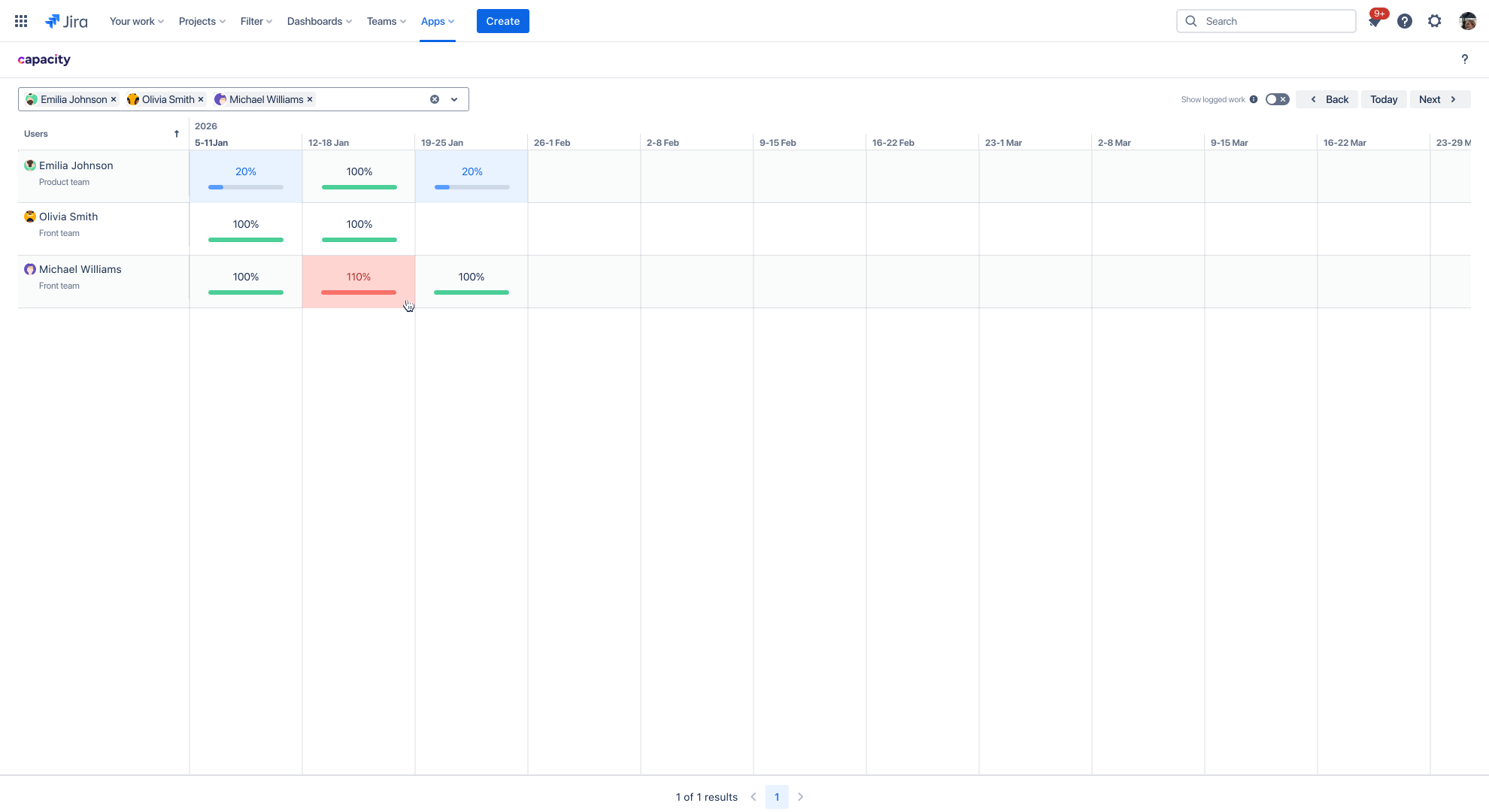
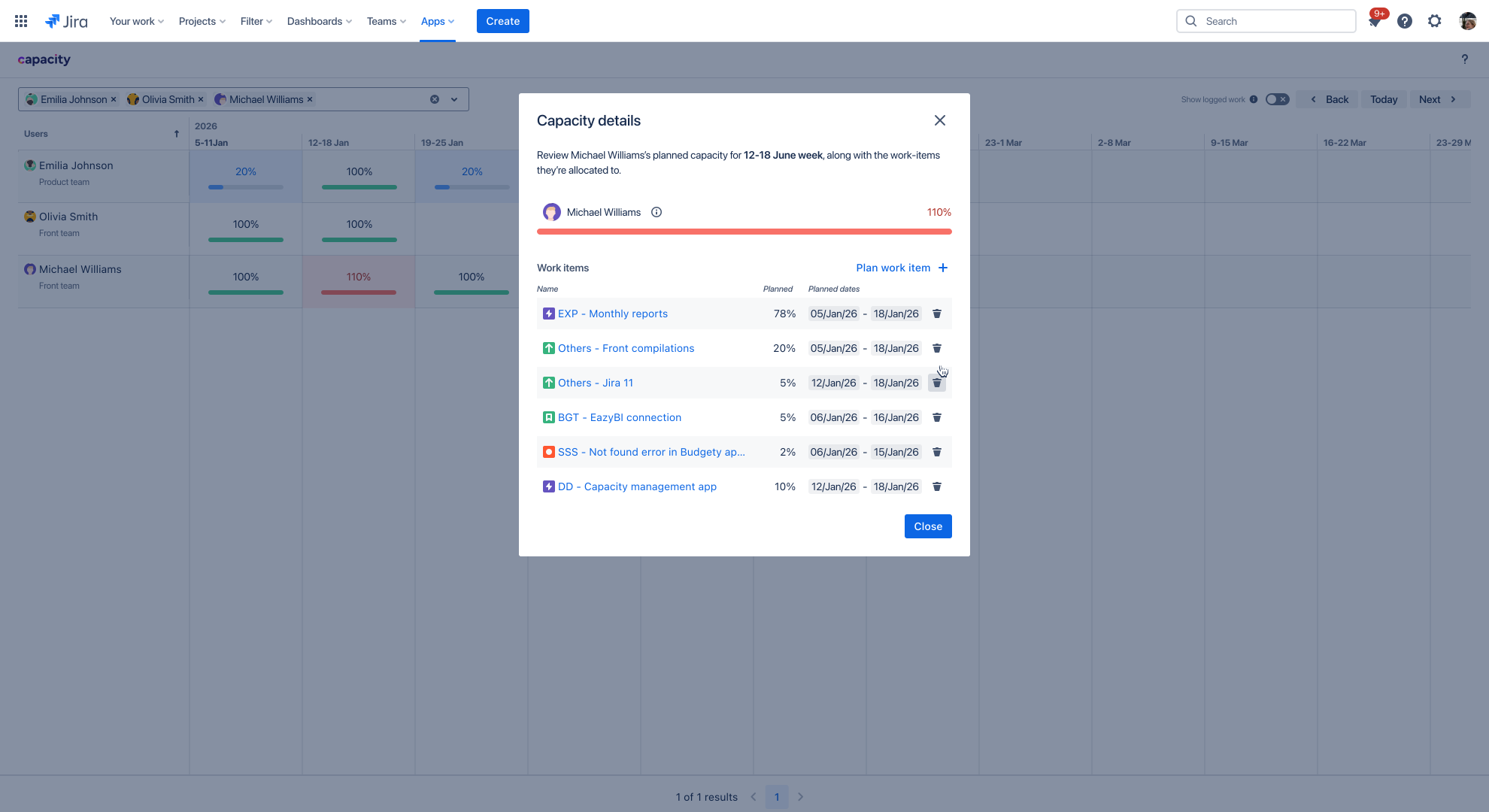
Capaciy for Jira gives you a calendar-based view to place your team’s workload so you can plan and allocate work items to different teammates with precision, take that responsibility, and leave your team to get busy with actual operative work.
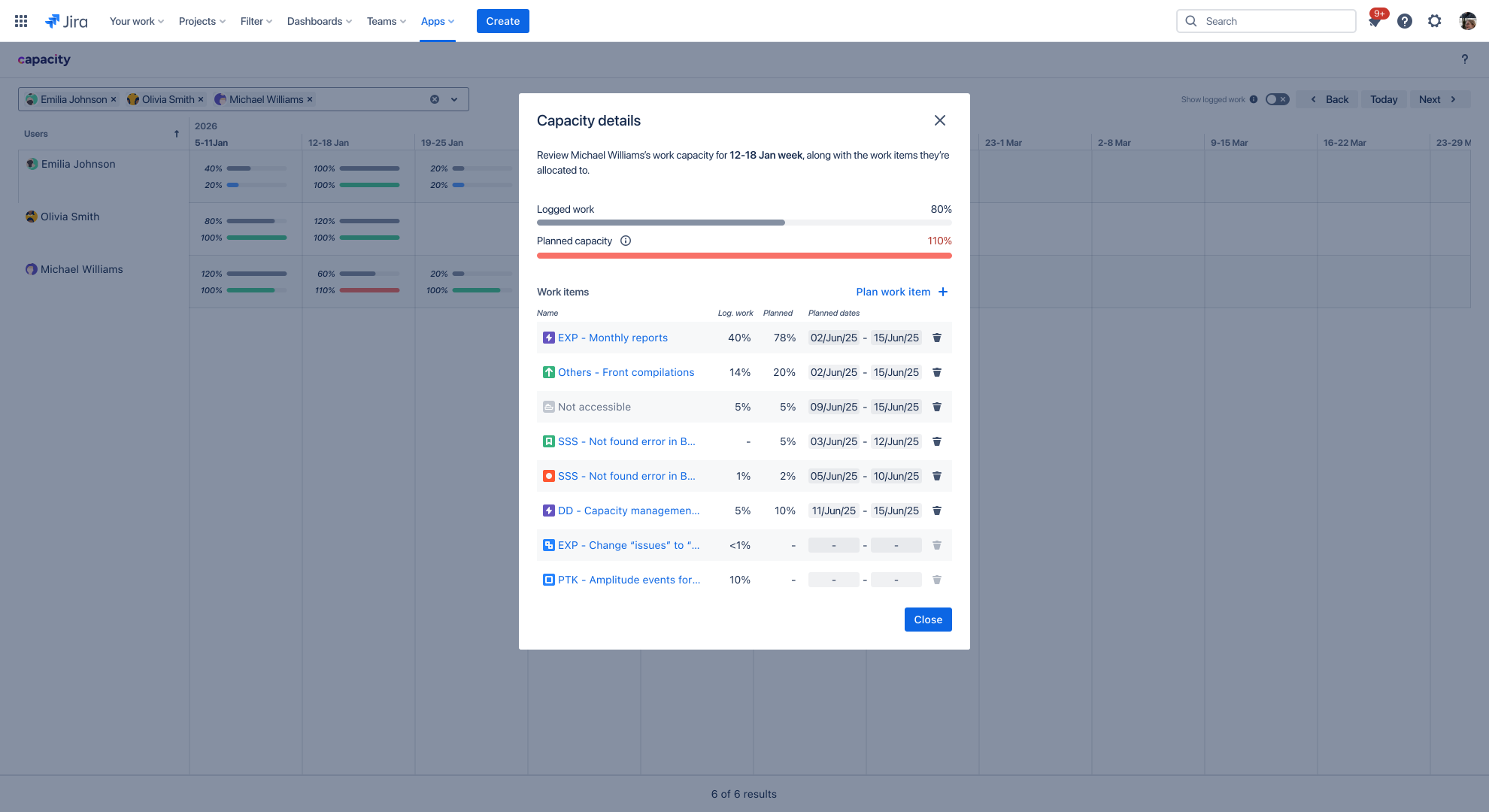
By properly establishing internal processes and team culture practices, you can achieve management and operational efficiency. For example, imagine it’s Monday, and you open Capacity’s weekly view:
Capacity for Jira is already available in the Atlassian Marketplace, and you can try it for free. If you want to learn how it works, book a demo. If you're interested in getting updated about the progress and development of this solution for capacity planning for Jira, leave your email in the following form⬇️ and get more benefits, besides using just Capacity😉
If you fill out the following form, you can get closer to our development team and learn more about this in-progress solution, getting even priority access, and shaping the future of this app for Jira.
Capacity for Jira by Deiser is here. Stay tuned, stop letting team capacity be a guessing game, and start planning:







No Comments Yet
Let us know what you think