



Jira time tracking is useful for the PMO and project managers, but those logged hours don’t automatically explain project cost or profitability. That’s why linking the connection of time data with the project budget inside Jira is pivotal. Discover how Jira worklogs can be transformed into real project cost visibility, forgetting about spreadsheets or manual reporting.
We all have been there:
- Your teams log their time in Jira
- Great
- Now what? What’s the point of making your team go through such an annoying task? Are you taking advantage of that piece of data? And here comes the real question:
- Do you actually know how much that time logging is costing you? No, right? We know… 😉
At the end of every month, someone takes that data, exports it to some other document type (a spreadsheet usually → check rates per hour → assign them to each person → and manually builds a report for management…
- Wouldn’t it be better to see that information by just opening Jira? I mean, start making your life easier…
A centralized dashboard in Jira could be answering "How much is X project costing so far?"
But the reality is that for some teams the answer usually is “give me a couple of hours,” or even worse, “Let’s wait until Friday.” The struggle is real!
Another perspective could be:
From the budgeting side, when the project manager wants to find out, “Does X project remain within budget?," and the answer is messy... of course, because the information is scattered. Same problem, different point of view.
The real problem is that time tracking exists, and budget management as well, but both are slow, manual, inefficient, and they're not connected and are siloed
Logging time in Jira shouldn’t be the end of the process in the tool. It should be just the beginning.
For better cost tracking of billable and non-billable work, the following workflow should be followed:
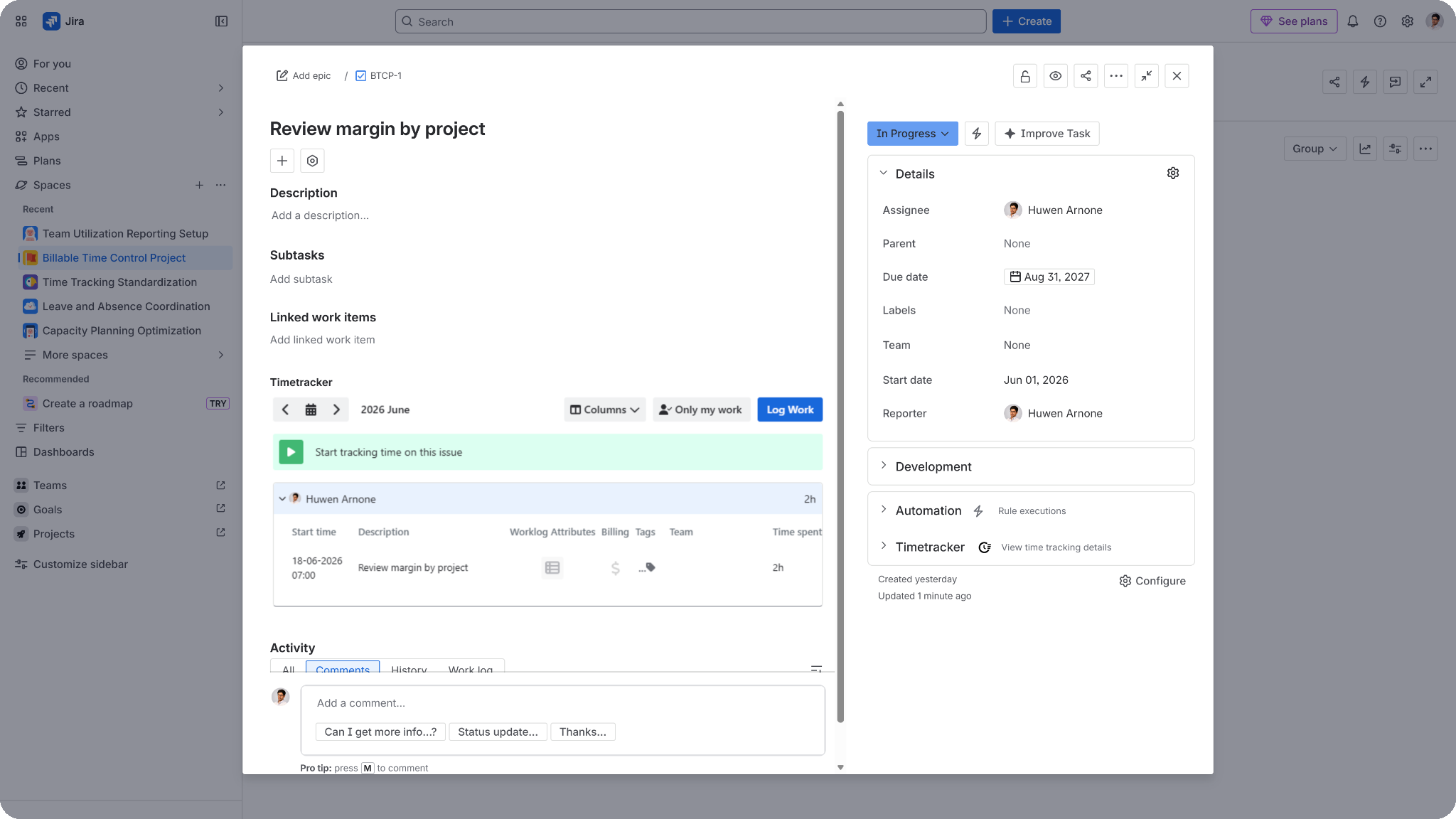
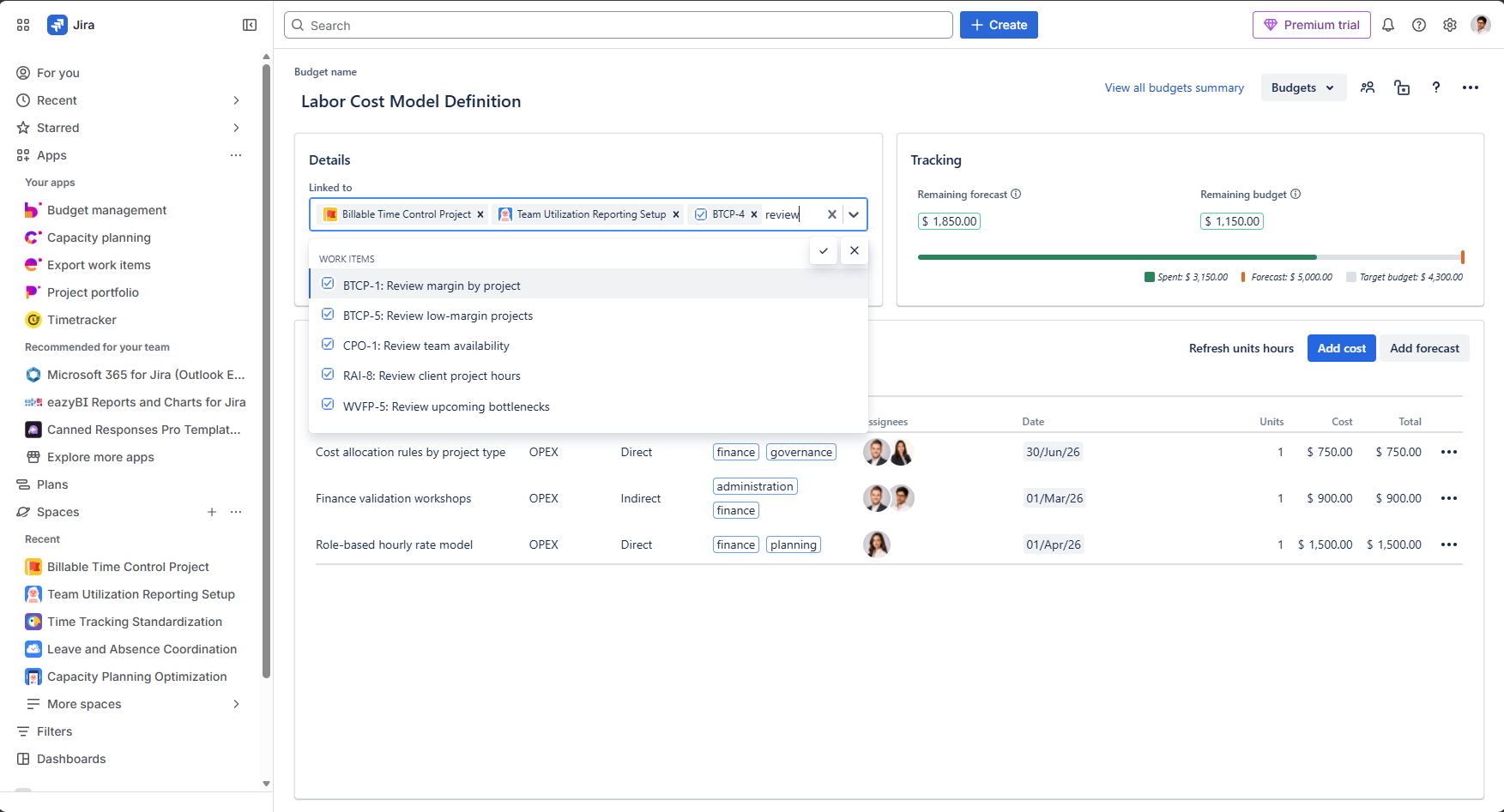
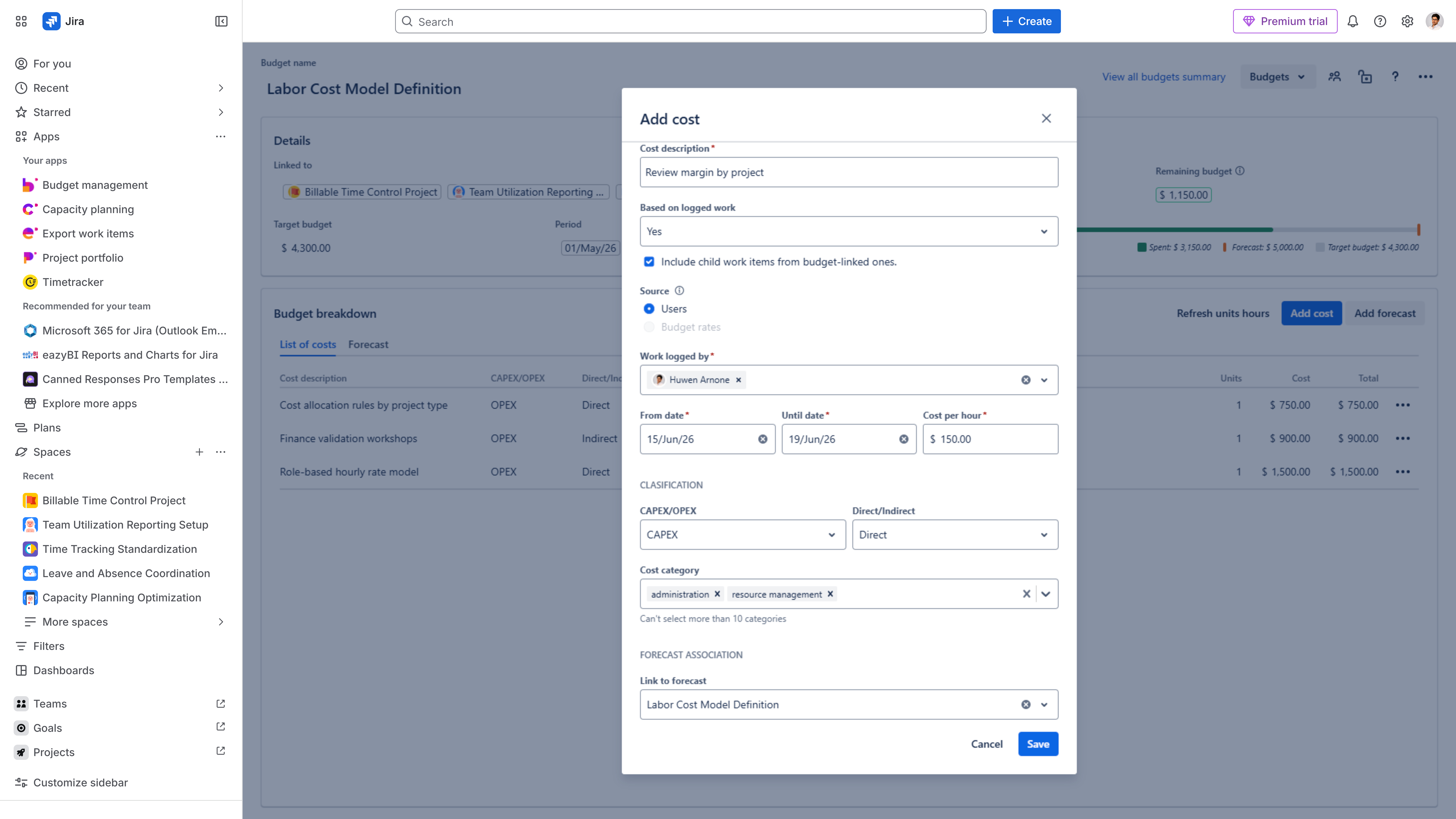
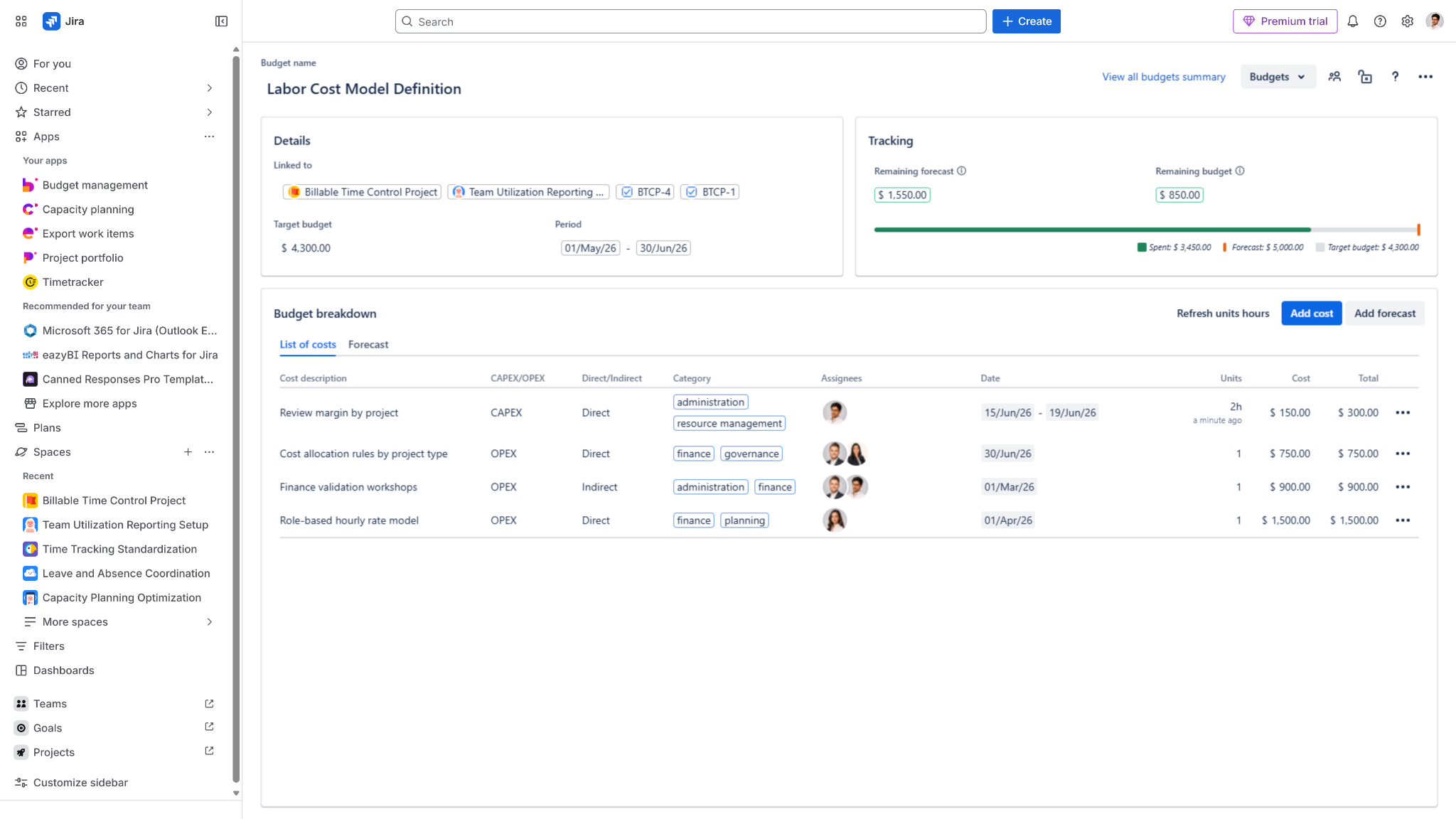
Now you have two billable hours attached to a specific task (or Space) with a cost impact visible in the project budget.
With TimeTracker, you can capture the time invested in the corresponding task (if you log somewhere by mistake, that’s on you. This is not magic. Yet!)
With it, you can log the time based on different views: a timeline view, a calendar view, or directly in the task (if the Jira Admin didn't hide the field); also, you get extra context such as creating tags to categorize work by activity type, differentiating billable tags to separate what generates revenue and what doesn't, creating teams, and getting reports.
By adding Budgety to this equation, you get the financial point of view.
By using Budgety, you can manage project budgets, defined planned and forecasted amounts, set dates, classify costs according to Enterprise standards, monitor spend, and even establish rates per role/person (only available in the Advanced Edition).
⚠️One of the key actions is linking the task on which time was logged to a Budgety budget⚠️
After being sure the connection is solid, it's downhill from there. You just start filling the missing details by defining:
If you want more details about this integration, check the video:
This is useful for every team to stay informed by just taking a look:
In definitive. Jira time tracking is useful, but tracking it just for the sake of doing it doesn’t help anyone. Connecting billable (or not) worklogs with budget data turns it into project cost visibility and project profitability as a consequence.









No Comments Yet
Let us know what you think